Data Sources and Local Tables
Every node, edge, and local table in a PuppyGraph schema declares where its rows come from through a dataSourceGroup. A data source group has up to three options (point at an external catalog table, read from a locally cached table, or combine multiple tables) plus a row-to-graph-field mapping for when source columns don't line up with graph fields.
Each section below shows the corresponding Schema Builder UI flow alongside the JSON.
Picking a source
| Option | Use it when |
|---|---|
externalDataSource |
The simplest and most common case: rows live in a catalog table and you query them directly. |
localDataSource |
You want PuppyGraph to cache the data on its compute nodes for faster reads. The cache is defined as a local table. |
unionDataSource |
A single node type spans multiple tables, for example a foreign key referenced from several tables, or one logical node type partitioned across sources. |
A dataSourceGroup can have all three sub-blocks defined at once, but only one is enabled at a time. This makes it easy to switch a node from external to local (or back) by toggling flags rather than rewriting the schema.
Pointing at a catalog table
The default for new nodes and edges. Rows are queried directly from the source table at query time.
Select From Catalog, expand a catalog and schema, and choose the source table. After configuring the node or edge, leave Enable Local Replication cleared to query the catalog table directly.
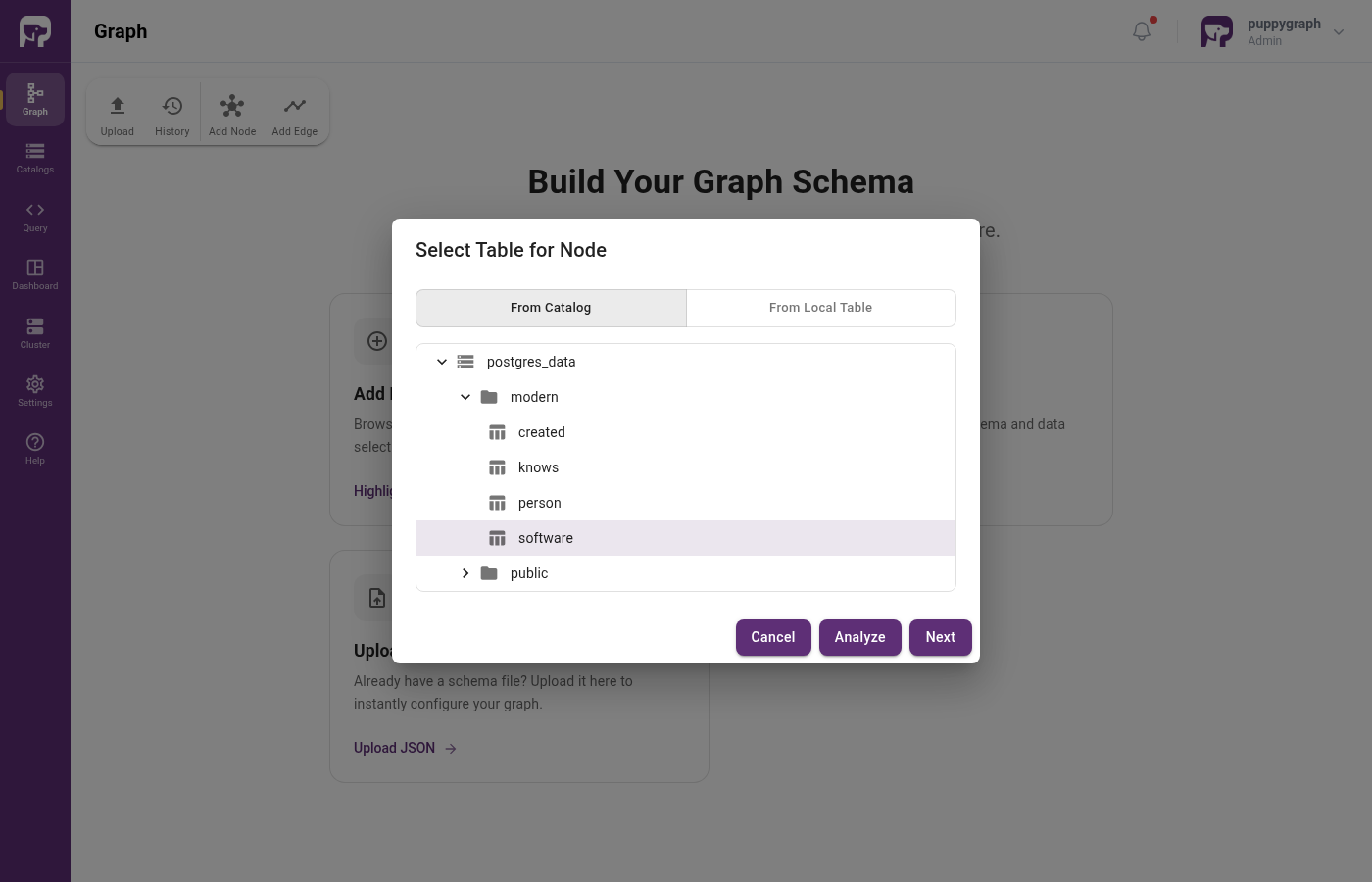
software table from a catalog"dataSourceGroup": {
"externalDataSource": {
"enabled": true,
"catalog": "postgres_data",
"schema": "modern",
"table": "person",
"mappedField": [
{ "sourceFieldName": "id", "targetFieldName": "id" },
{ "sourceFieldName": "name", "targetFieldName": "name" },
{ "sourceFieldName": "age", "targetFieldName": "age" }
]
}
}
| Field | Description |
|---|---|
enabled |
Whether to read from this source. |
catalog |
Catalog name, as defined in the schema's catalog[]. See Connecting for catalog setup. |
schema |
Schema (database) name within the catalog. |
table |
Table name within the schema. |
mappedField |
Required. Maps source columns to graph fields; list every field, including ones that keep their name. See Mapping source columns to graph fields. |
whereClause |
Optional filter expression that filters source rows before they become graph elements. See Modeling denormalized tables. |
Reading from a local table
Use this when you want PuppyGraph to cache the source data and serve queries from the cache.
There are two ways to wire a node or edge to a local table:
- Select Enable Local Replication in the final step when adding a node or edge from a catalog table. The wizard creates a local copy for that graph element.
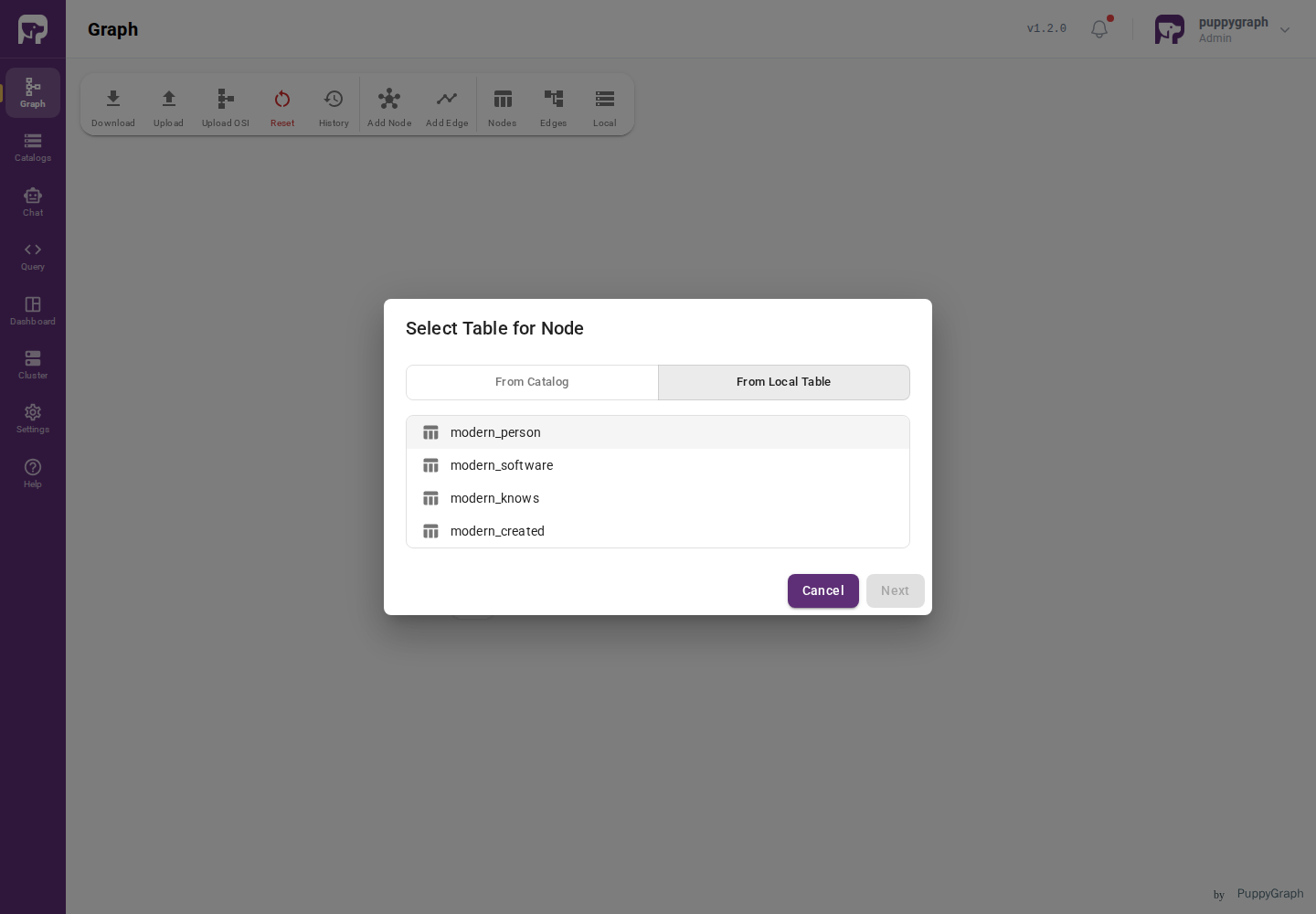
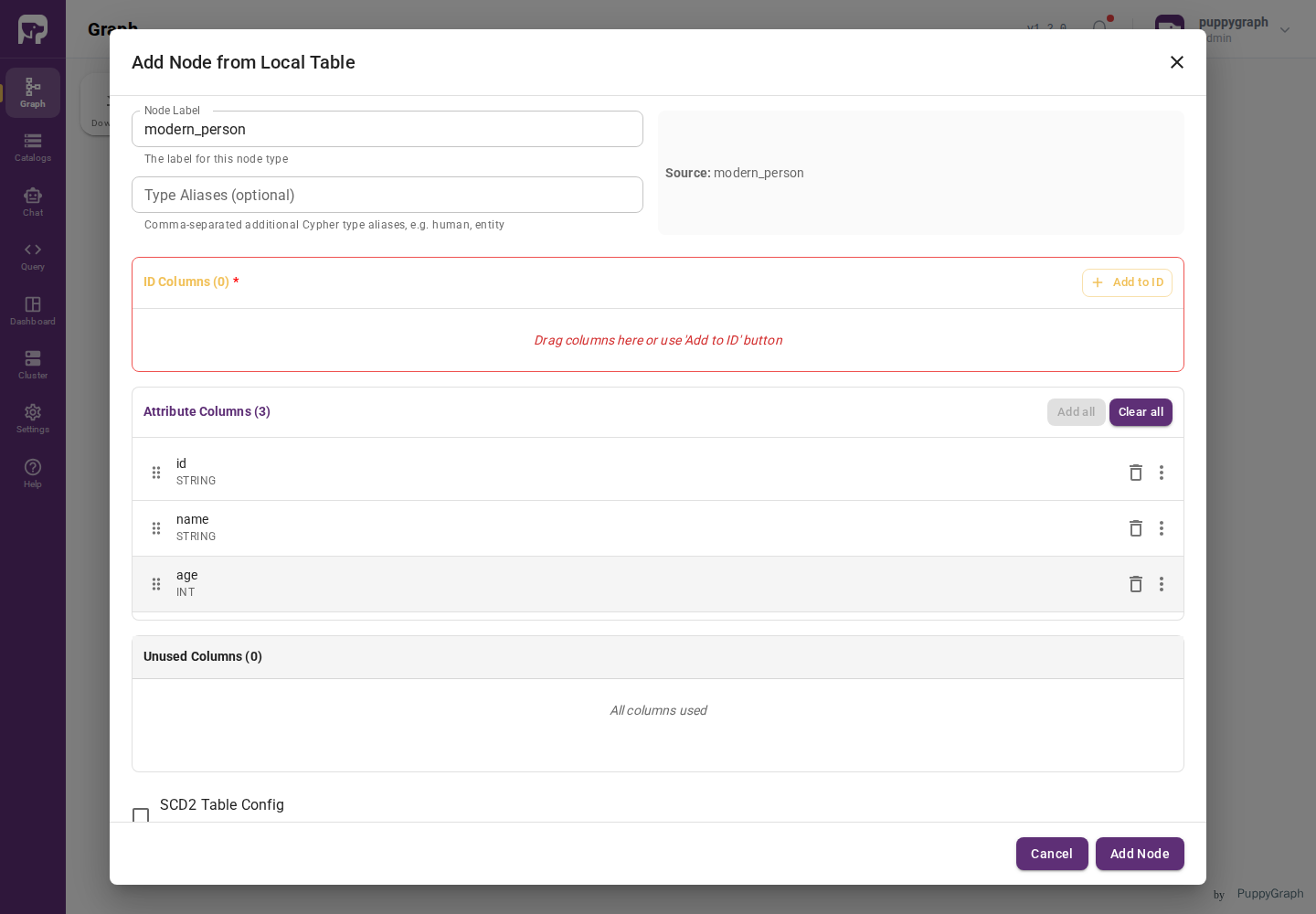
- Select From Local Table in the table picker, choose an existing local table, and configure the node or edge that will read from it.
| Field | Description |
|---|---|
enabled |
Whether to read from this source. |
localTableName |
Name of a local table defined in the schema's localTable[]. |
mappedField |
Required. Lists every graph field read from the local table. See Mapping source columns to graph fields. |
whereClause |
Optional filter expression that filters local-table rows before they become graph elements. See Modeling denormalized tables. |
The local table itself is defined separately, under the schema's top-level localTable[] array. See Defining a local table.
Combining tables with a union
A union data source treats multiple input tables as a single source. Each input is a (catalog, schema, table) tuple, and dedupKey[] lists the graph fields used as GROUP BY keys to deduplicate across inputs.
In the Add Node wizard, click Add Source Table (Create Union Node) to add another input. Configure each input's column-to-field mappings (drag, set aliases, or override types) just as you would for a single source. The wizard merges the column lists across inputs.
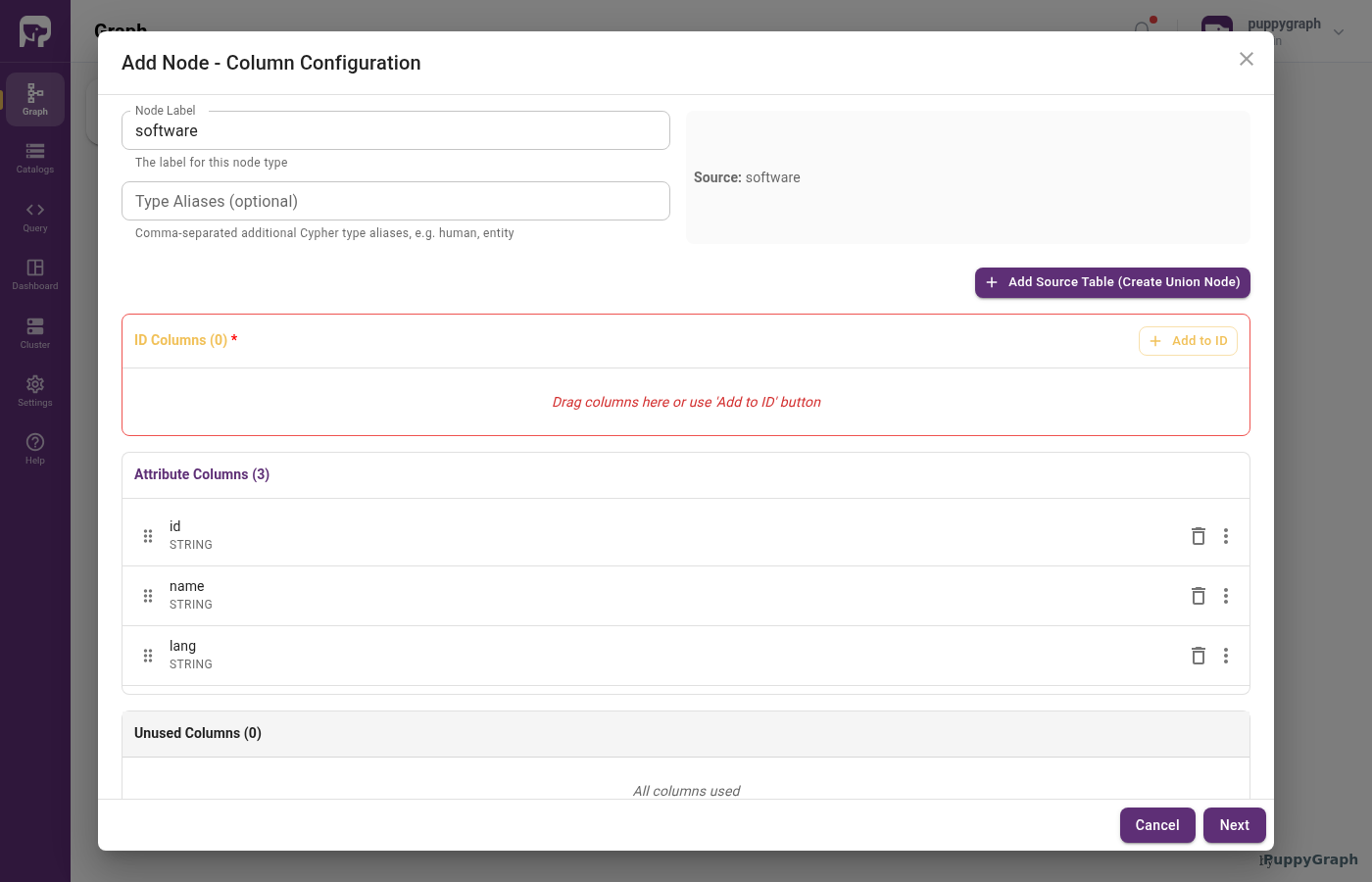
"dataSourceGroup": {
"unionDataSource": {
"enabled": true,
"input": [
{
"catalog": "postgres_data",
"schema": "modern",
"table": "person_a",
"mappedField": [
{ "sourceFieldName": "user_id", "targetFieldName": "id" },
{ "sourceFieldName": "user_nm", "targetFieldName": "name" }
]
},
{
"catalog": "postgres_data",
"schema": "modern",
"table": "person_b",
"mappedField": [
{ "sourceFieldName": "id", "targetFieldName": "id" },
{ "sourceFieldName": "name", "targetFieldName": "name" }
]
}
],
"dedupKey": ["id"]
}
}
| Field | Description |
|---|---|
enabled |
Whether to read from this source. |
input[] |
One entry per input table: catalog, schema, table, optional mappedField[], and optional whereClause. |
dedupKey[] |
Target field names to use as GROUP BY keys. Other target fields are aggregated. |
Use a union when the same conceptual entity appears in more than one table and you want to query it as a single type. For example, a Person whose ID can appear in any of several event tables, with no dedicated person table of its own.
Mapping source columns to graph fields
mappedField[] is the complete list of fields a node, edge, or local table reads from its source: there is no implicit same-name mapping. List every id, attribute, fromKey, and toKey column of a node or edge, and every column of a local table, including the ones that keep their source name. A node or edge that leaves a field out is rejected on upload, and a local table without mappedField cannot be loaded. Each entry has a sourceFieldName (column in the source table) and a targetFieldName (the graph field, such as an id, attribute, fromKey, or toKey column on the node, edge, or local table).
Open a column's action menu and select Set Alias.... The alias becomes the graph field name. The wizard keeps the original source name and emits the corresponding mappedField[] entry automatically.
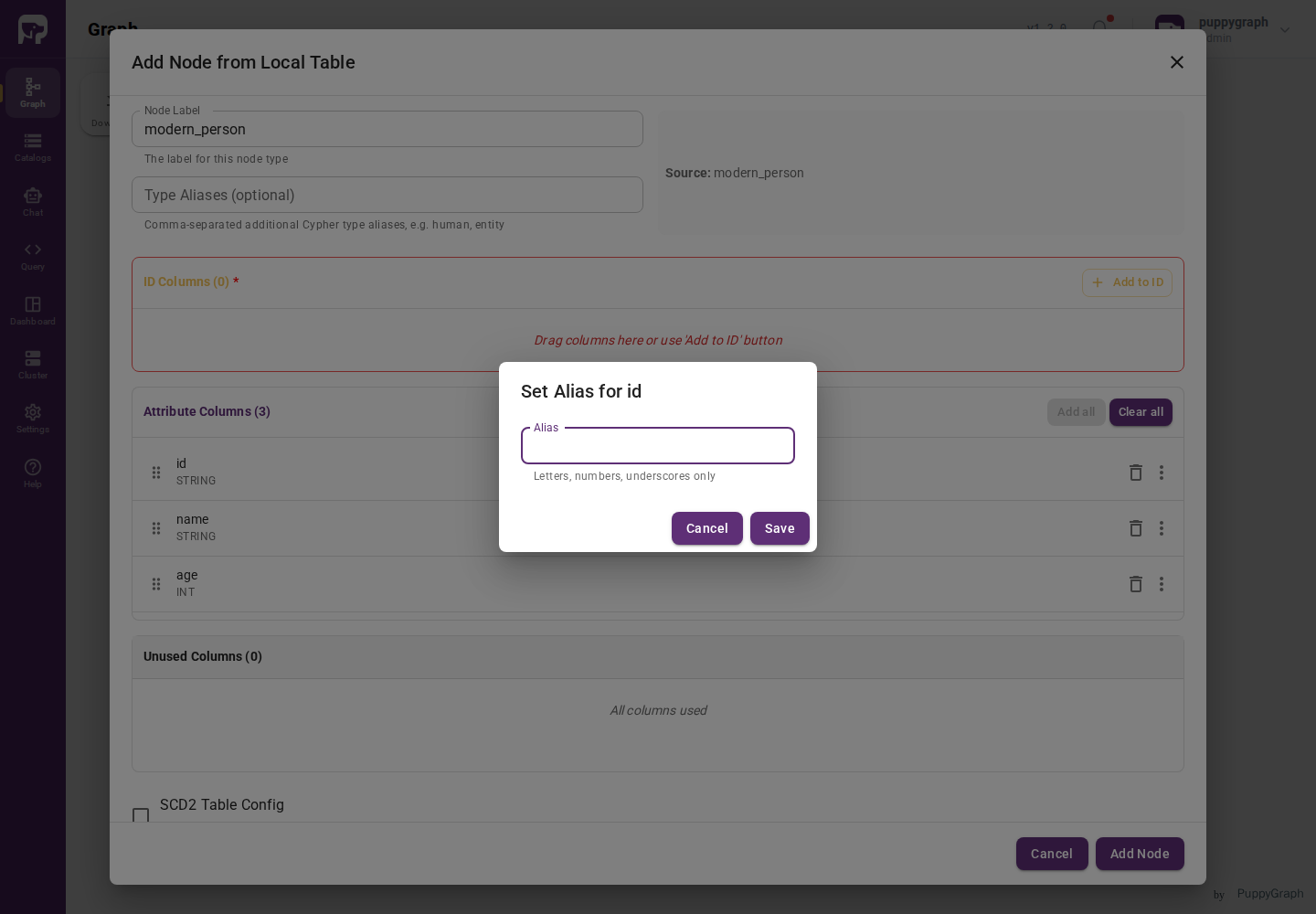
mappedField[] is available on externalDataSource, localDataSource, and each unionDataSource.input[].
Defining a local table
A local table caches rows from one or more catalog tables onto PuppyGraph's compute nodes. Once loaded, queries against any node or edge backed by the local table read from the cache instead of the external source. This is typically faster and places no load on the external system.
A local table is defined in the schema's top-level localTable[] array and referenced by name from a localDataSource.
A minimal local table
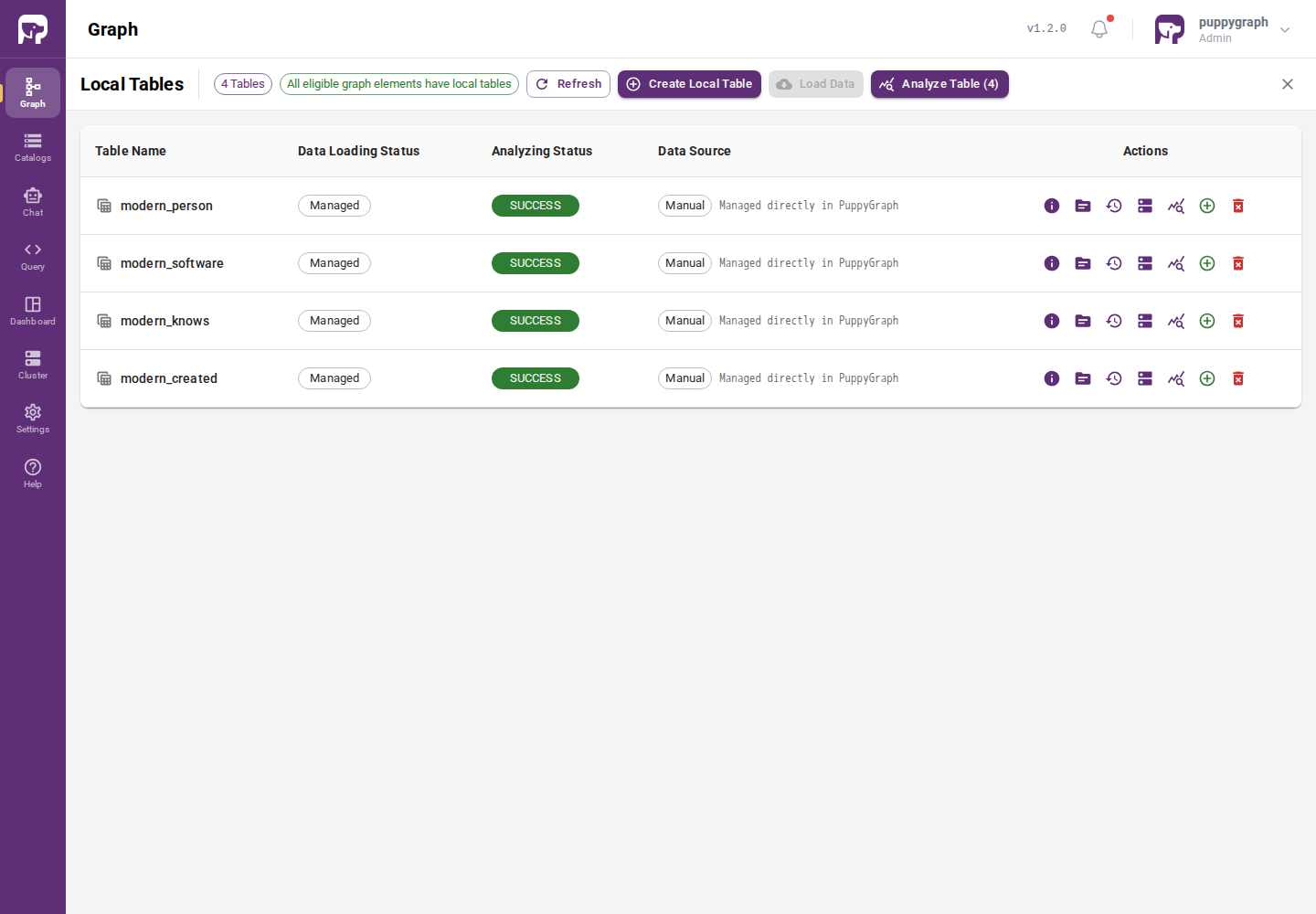
Select Enable Local Replication in the final step when adding a catalog-backed node or edge to create its local table inline. To create a standalone local table, open Graph, click Local, and then click Create Local Table.
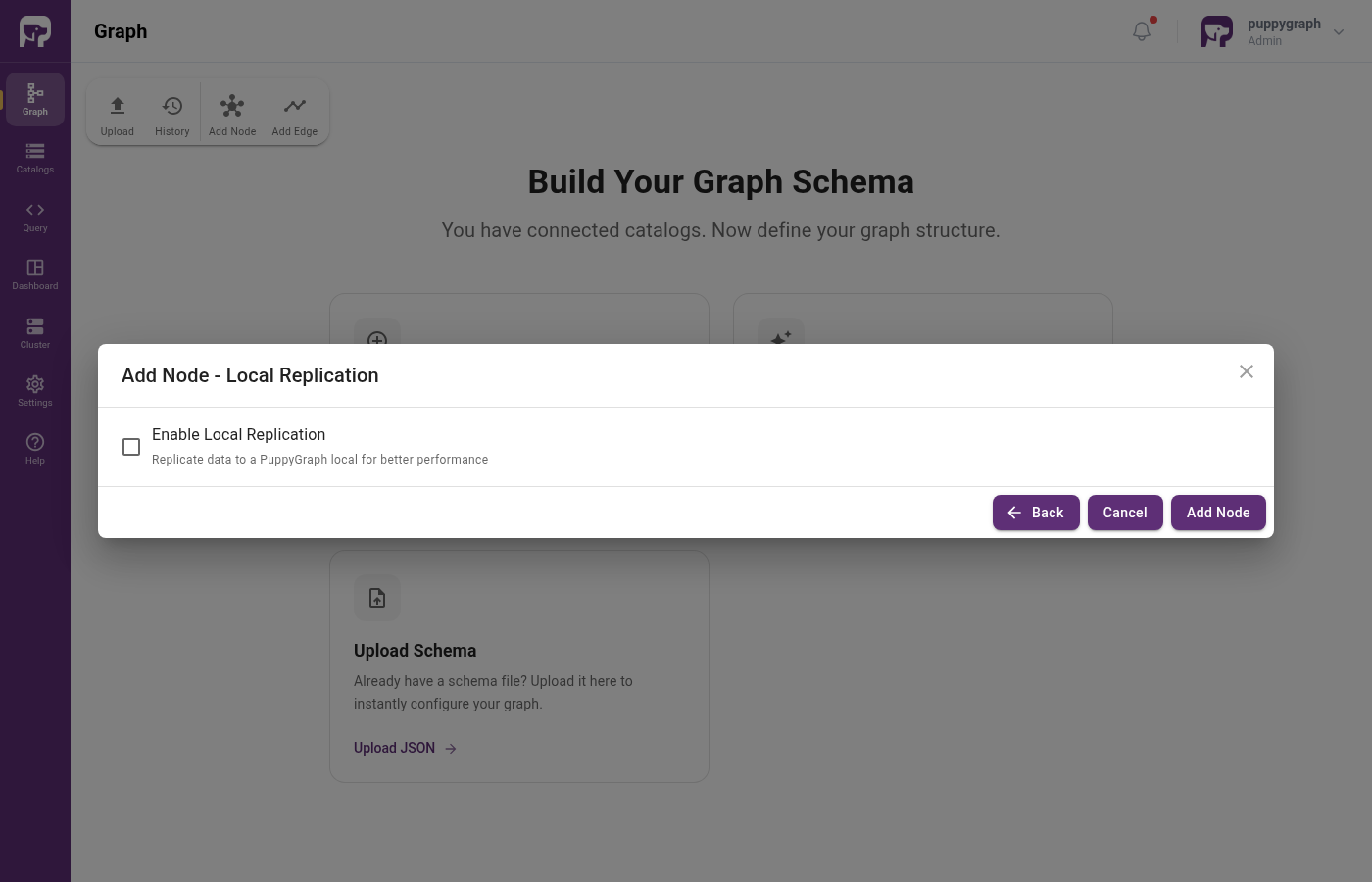
"localTable": [
{
"name": "person_local",
"dataSourceGroup": {
  "externalDataSource": {
    "enabled": true,
    "catalog": "postgres_data",
    "schema": "modern",
    "table": "person",
    "mappedField": [
      { "sourceFieldName": "id",   "targetFieldName": "id"   },
      { "sourceFieldName": "name", "targetFieldName": "name" },
      { "sourceFieldName": "age",  "targetFieldName": "age"  }
    ]
  }
},
"column": [
{ "name": "id", "type": "STRING" },
{ "name": "name", "type": "STRING" },
{ "name": "age", "type": "INT" }
]
}
]
A node or edge then reads the local table by name:
"dataSourceGroup": {
  "localDataSource": {
    "enabled": true,
    "localTableName": "person_local",
    "mappedField": [
      { "sourceFieldName": "id",   "targetFieldName": "id"   },
      { "sourceFieldName": "name", "targetFieldName": "name" },
      { "sourceFieldName": "age",  "targetFieldName": "age"  }
    ]
  }
}
Local table fields
| Field | Description |
|---|---|
name |
Local table name. Referenced by localDataSource.localTableName. Required. |
dataSourceGroup |
The external source to load data from. Required for tables that load from a catalog. |
column[] |
Columns in the local table. Required. |
indexColumn[] |
Columns to index for faster lookups. Optional. |
distributeBy[] |
Distribution across compute nodes. See Distribution. Optional. |
orderBy[] |
Sort order used for local-table data layout. Optional. |
partitionBy |
Partition configuration. See Partitioning. Optional. |
replicationNum |
Number of replicas across compute nodes. Defaults to the cluster setting. Optional. |
storageMedium |
"SSD" or "HDD". Optional. |
keyType |
DUPLICATE_KEY (default), PRIMARY_KEY, or UNIQUE_KEY. See Key types. |
enableColocate, colocateKey |
Colocation configuration. Optional. |
extraProperties |
Additional engine properties as a map. Optional. |
The Schema Builder configures the most common fields (name, columns, data source). The fields below (distribution, partitioning, key types, colocation) are typically set by editing the JSON directly.
Distribution
distributeBy[] controls how data is hashed across compute nodes:
num is the number of buckets, and column[] is the hash key. Choose a column with high cardinality and even value distribution to avoid hot spots.
Partitioning
partitionBy partitions a local table by one or more time-derived columns. This enables partition pruning at query time and partition-level retention.
"partitionBy": {
  "partitionColumn": [
    {
      "column": "event_time",
      "partitionTimeUnit": "DAY",
      "partitionInterval": 1
    }
  ],
  "partitionRetentionCount": 90
}
| Field | Description |
|---|---|
partitionColumn[].column |
Column to partition by. |
partitionColumn[].partitionTimeUnit |
One of YEAR, MONTH, DAY, HOUR, MINUTE. |
partitionColumn[].partitionInterval |
Interval multiplier. For example, 10 with MINUTE produces 10-minute partitions. Default 1. |
partitionColumn[].timestampScaleFactor |
If the column is a numeric Unix timestamp, divide by this scale factor first. Optional. |
partitionColumn[].dateFormat |
If the column is a string, parse it with str_to_date(col, dateFormat) first. Optional. |
partitionRetentionCount |
Keep only this many most-recent partitions. Older partitions are dropped. Optional. |
partitionRetentionCondition |
Alternative to count-based retention: a condition expression. Optional. |
Use partitionRetentionCount or partitionRetentionCondition, not both.
Key types
keyType controls update semantics:
| Key type | Behavior |
|---|---|
DUPLICATE_KEY (default) |
Append-only. Duplicate rows are kept. No UPDATE or DELETE. |
PRIMARY_KEY |
Supports UPDATE and DELETE on the key columns. |
UNIQUE_KEY |
Upsert: a row with an existing key replaces the previous row. |
For most analytics workloads, DUPLICATE_KEY is the right choice. Use PRIMARY_KEY or UNIQUE_KEY when you need to mutate rows in place.
Loading data
Loading data into a local table is triggered from the Local view on the Graph page, or when you select Enable Local Replication while adding a node or edge from a catalog table. See Managing the Graph for the management UI and automation APIs.