Configure Databricks to support credential vending
Before using credential vending in PuppyGraph, you need to complete some configuration steps in Databricks.
The official guideline outlines the necessary requirements and procedures.
Currently, PuppyGraph supports credential vending with AWS S3 and Azure Data Lake Gen2 when used as Databricks storage. If you're using a different storage system, you can specify it using the storage parameter in the schema configuration.
In the following sections, we'll walk through the Databricks setup process with step-by-step images.
1.Enable external data access on the metastore
Log in your Databricks workspace and follow the steps below.
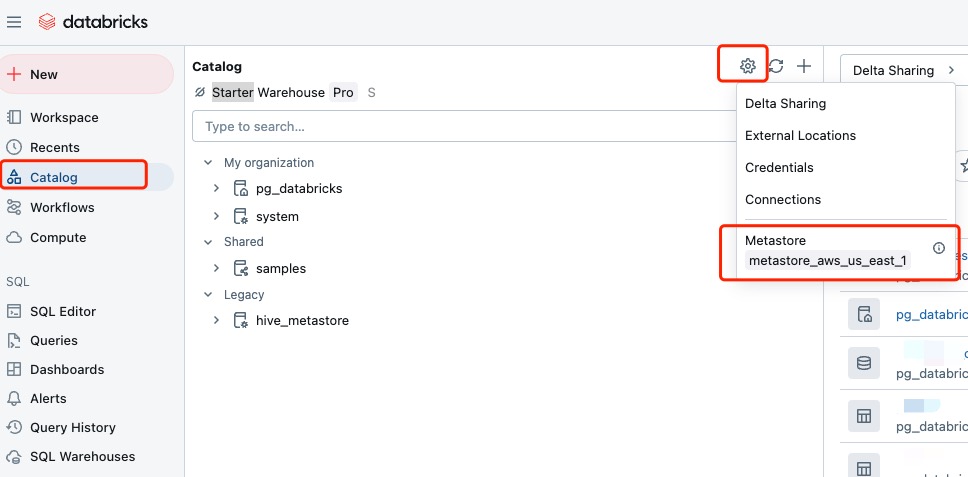
1.1. In a Databricks workspace attached to the metastore, click Catalog icon. Click the Gear icon at the top of the Catalog pane and select Metastore.
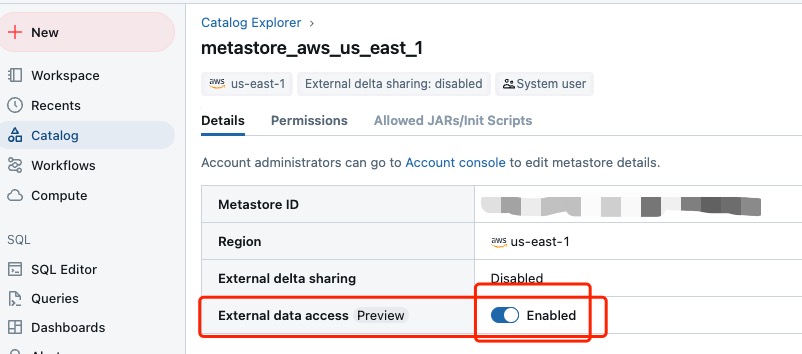
1.2. On the Details tab, enable External data access.
2.Grant Related Schema Permission "EXTERNAL USE SCHEMA" to Access token's user
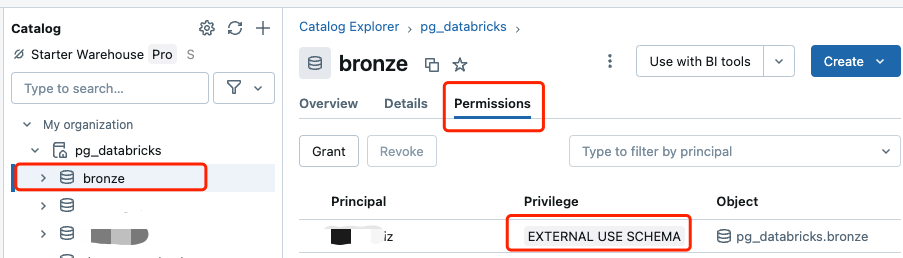
2.1. In a Databricks workspace attached to the metastore, select the schema to be visit. Select the Permission tab and click Grant icon.
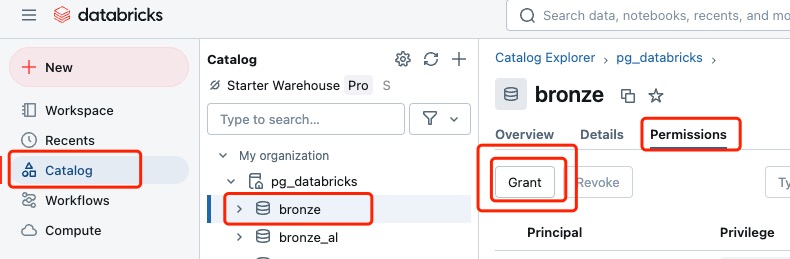
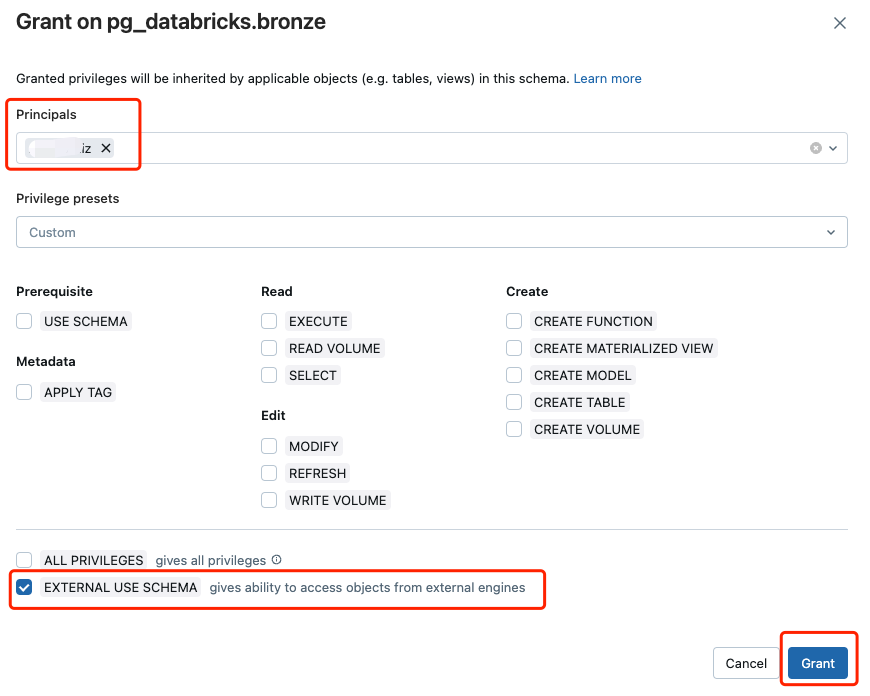
2.2. Add Access token's user to Principals and Select EXTERNAL USE SCHEMA box. Then Click Grant to confirm.