Integration with NeoDash
This guide explains how to connect PuppyGraph with NeoDash to make graph queries and visualize results using NeoDash's dashboard interface.
Launching PuppyGraph in Docker and Explore the Example Graph
Start by launching PuppyGraph using Docker. Refer to the guide below for detailed instructions: Launching PuppyGraph in Docker
Launching NeoDash in Docker
To run NeoDash using Docker, execute the following commands:
docker pull neo4jlabs/neodash:latest
docker run -it --rm -p 5005:5005 -d --name neodash neo4jlabs/neodash
Connect NeoDash to PuppyGraph
 Open your web browser and navigate to http://localhost:5005.
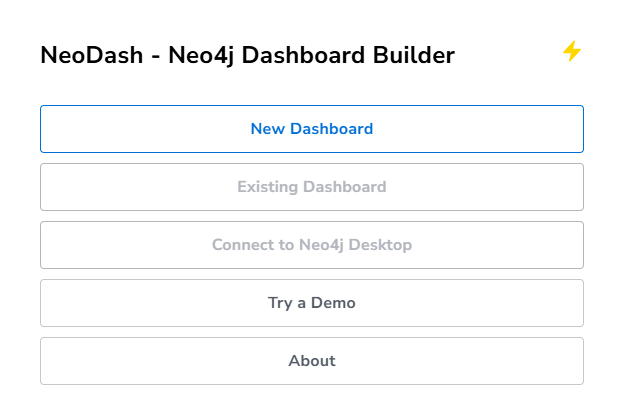
On the NeoDash homepage, click New Dashboard to begin creating a dashboard.
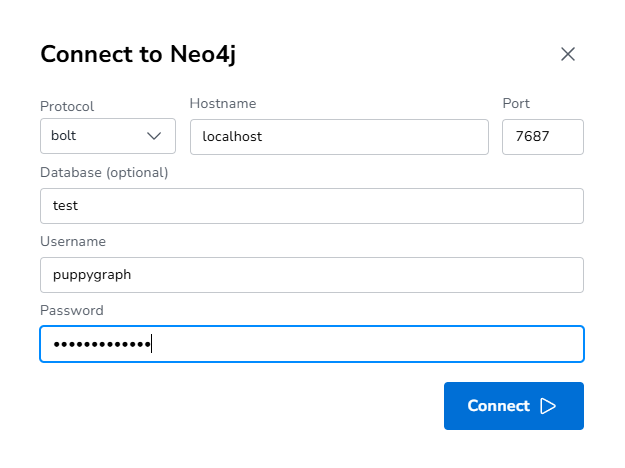
Configure Connection Information
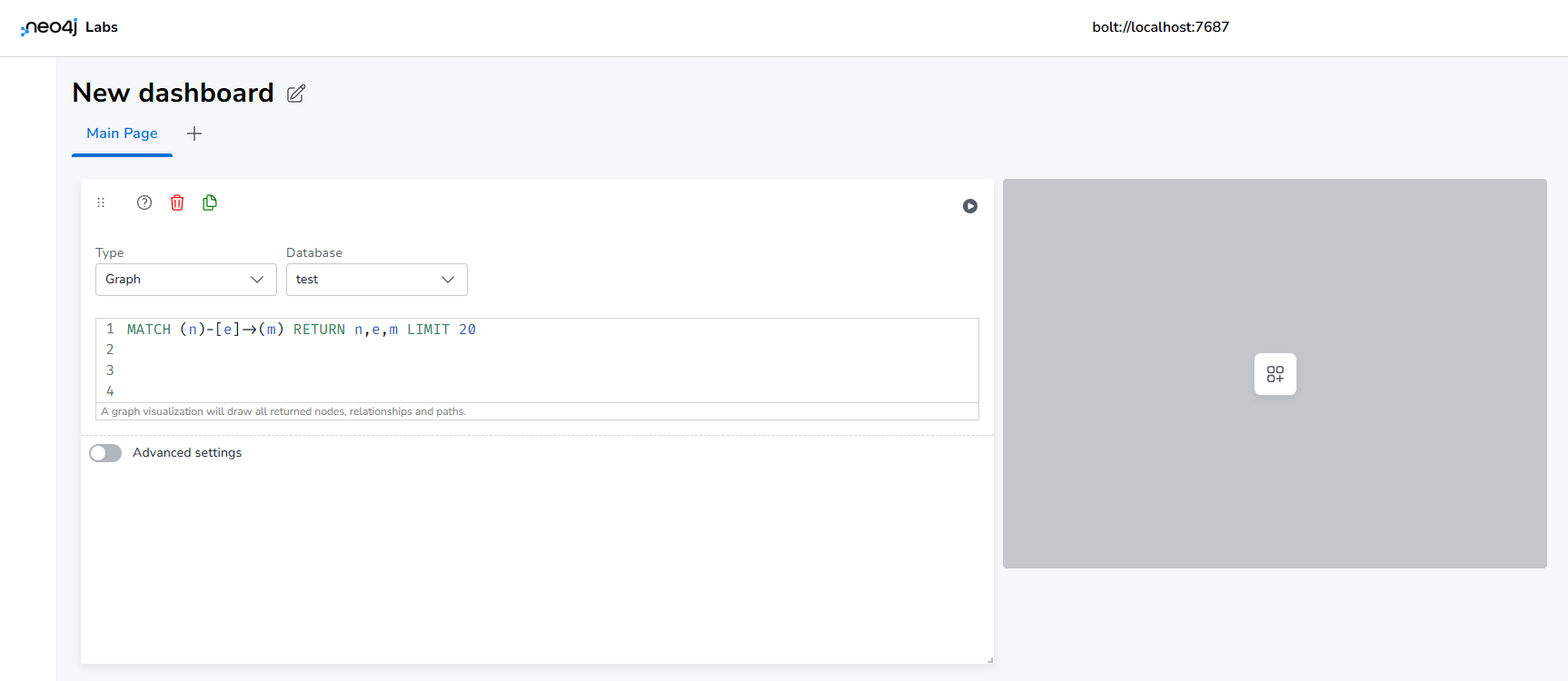
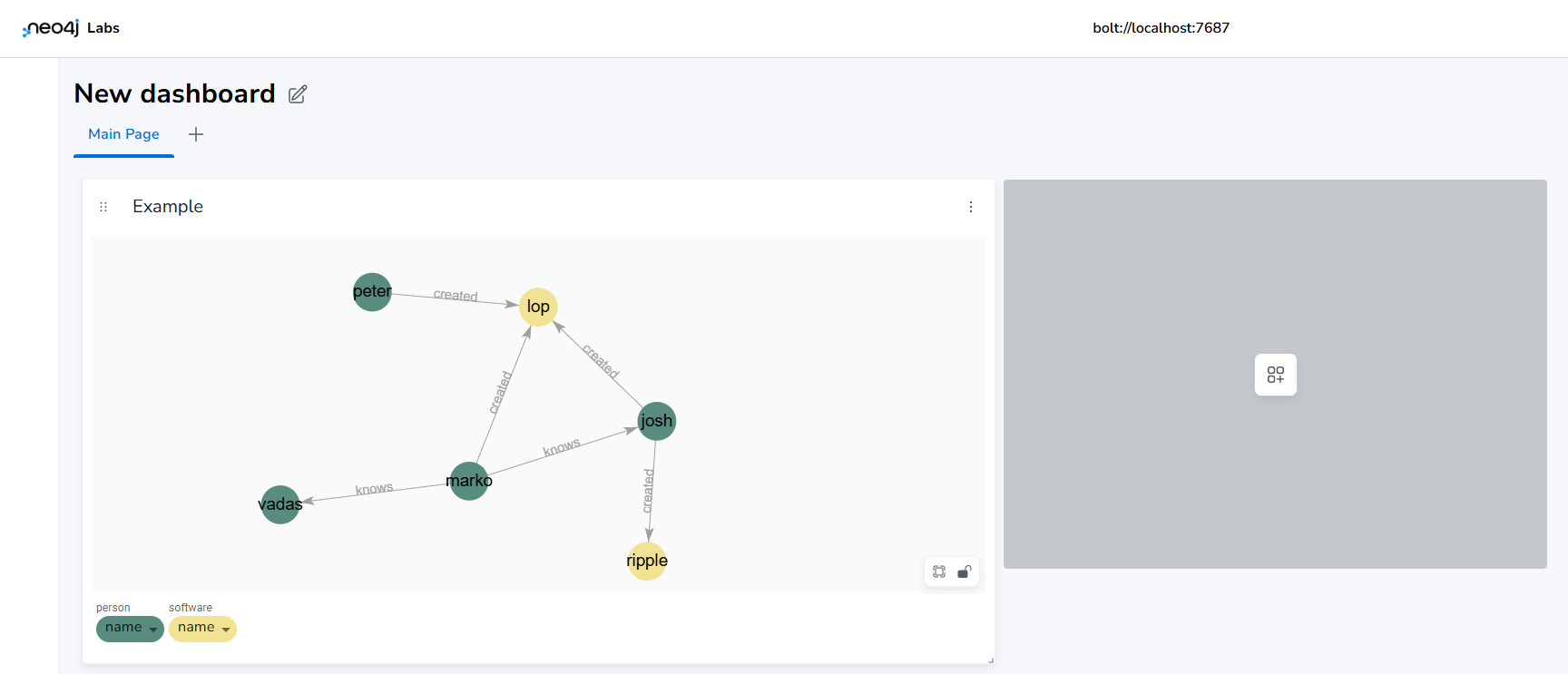
Set Cypher Queries for Reports and Run Them
Stopping Docker Containers After Testing
Once you have completed testing or no longer need the services running, stop the Docker containers to free up resources:
Replace puppygraph_container_name with the actual container name used when launching PuppyGraph.